More Enhancements: Category Filters, Quick Assign & 24-Hour Clock
- Jacob Volk
- Product Updates
- 08 Jun, 2026
The big features get the attention, but small setup improvements often make the biggest difference day to day.
This MyChoreBoard update includes several parent-facing improvements designed to make assigning and managing chores faster:
- Filter tasks by category
- Choose a child directly in Quick Assign
- Use a 24-hour clock setting
These updates make MyChoreBoard easier to manage, especially as your family adds more children, chores, rewards, and recurring routines.
Task category filters
As your task library grows, it gets harder to find the right chore quickly.
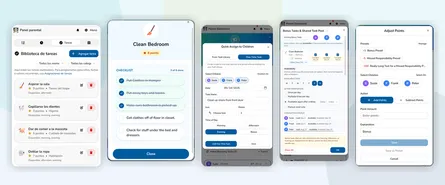
Task category filters help parents narrow the list and focus on the type of chore they are looking for.
For example, you might filter by categories like:
- Pets
- Cleaning
- School
- Kitchen
- Bedroom
Instead of scrolling through every task, parents can find the right group faster.
Quick Assign now has a child selector
Quick Assign is designed for fast assignment. With this update, it now includes a child selector so parents can choose who they are assigning tasks to more directly.
That means fewer clicks and less jumping around during setup.
This is helpful when you are:
- Setting up a new child
- Adding a few chores to one child’s day
- Assigning tasks across multiple children
The goal is simple: make the common parent actions faster.
How this fits with recurring chores
Quick Assign is best for one-time or simple assignments.
Recurring chores are best for routines that should repeat automatically.
With the latest update, MyChoreBoard gives parents better tools for both:
- Use Quick Assign when you want to assign tasks fast.
- Use advanced scheduling when the chore should repeat on a pattern.
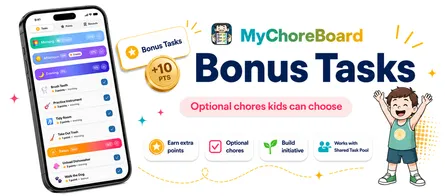
- Use Bonus Tasks when the chore is optional and points-based.
Read more: Smarter recurring chore scheduling for families.
24-hour clock support
Some families prefer a 24-hour clock.
MyChoreBoard now includes a setting for 24-hour time, making the app feel more natural for families, caregivers, and kids who use that format.
It is a small update, but it helps MyChoreBoard fit more households.
A smoother parent workflow
Together, these updates make parent setup feel less like administration and more like quick routine building.
You can find tasks faster, assign them more directly, and adjust the display format to better match your family.
Frequently asked questions
Task category filters let parents narrow the task list by category so chores are easier to find and assign.
Quick Assign now includes a child selector, making it easier to choose which child should receive the selected tasks.
Use Quick Assign for fast one-time assignments or simple setup. Use recurring chores for tasks that should repeat automatically on a schedule.
Yes. MyChoreBoard now includes a 24-hour clock setting for families who prefer that format.

Ready to try MyChoreBoard with your kids?
Install on any phone, tablet or computer. Free with no sign-in hoops.