Chore Apps vs Allowance Apps: What’s the Difference?
- Jacob Volk
- Chore Apps
- 20 Sep, 2025
Most parents start looking for a “chore app” when they want to stop micromanaging daily routines and build consistency at home.
Other parents start with “allowance apps” when they want to teach money management, budgeting, and saving.
But somewhere along the way, those two categories start to blend. Families end up with overlapping tools that overcomplicate daily life.
This guide breaks down what each type of app actually does, how they overlap, and how to decide which one fits your family’s goals.
If you’re deciding whether to go fully digital for routines, start here: free chore app benefits.
Quick decision summary
Choose a chore app if:
- You want daily routines to run with fewer reminders
- Your goal is responsibility and habit-building first
- Rewards are points, privileges, or experiences (money optional)
Choose an allowance app if:
- Your main goal is budgeting, saving, and spending lessons
- You want chores tied directly to money and payouts
- Your child is older and ready to manage balances or debit tools
Many families do both: a chore app for earning consistency, and an allowance app for managing money.
Quick Definitions
Let’s simplify the difference:
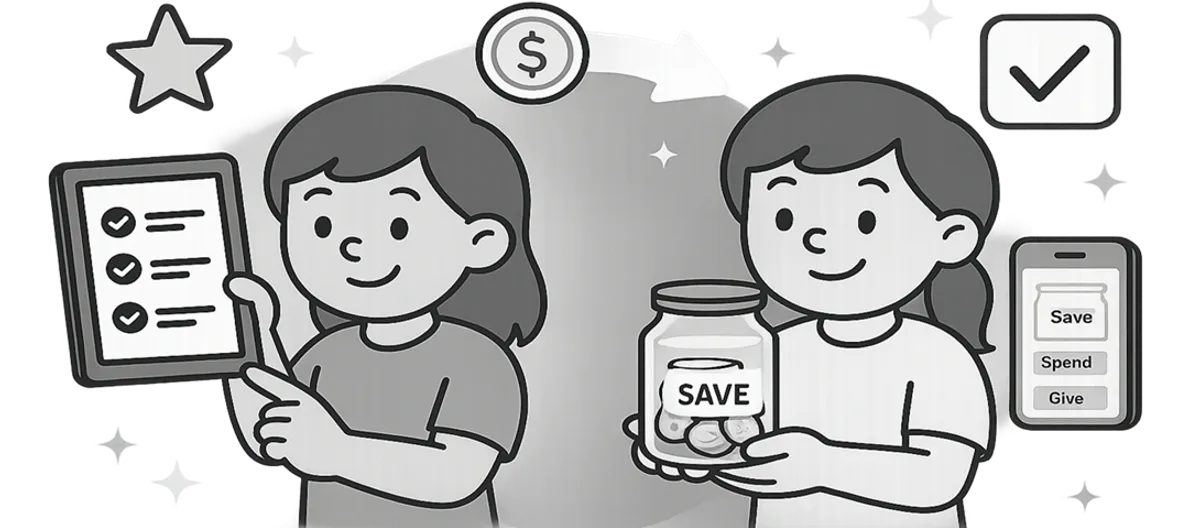
- Chore app: Focuses on habits and accountability - things like morning/evening lists, streaks, points, and parent-approved rewards.
- Allowance app: Focuses on money flow and savings - tracking allowance payments, managing digital “jars,” or even connecting to debit cards.
Put simply: Chore apps build consistency. Allowance apps build financial awareness.
Where They Overlap - and Where They Don’t
Both types of apps use motivation and accountability to teach responsibility, but the outcomes are different.
Shared Features
- Parent dashboards and approvals
- Rewards or incentives
- Progress tracking
- Habit reinforcement
Where They Differ
| Feature | Chore Apps | Allowance Apps |
|---|---|---|
| Main purpose | Build habits + routines | Teach financial literacy |
| Reward type | Points, privileges, experiences | Money, savings jars, debit cards |
| Best age | Younger kids through teens | Older kids and teens |
| What it reinforces | Consistency and responsibility | Budgeting and money decisions |
Which One Fits Your Family?
It depends on where your kids are in their independence journey:
-
If your main challenge is consistency:
Start with a chore app. You’ll get fewer reminders, more independence, and smoother routines. -
If your child has ADHD or struggles with follow-through:
A chore app with visual cues and frequent feedback tends to work better. See: reward systems for kids with ADHD. -
If your main goal is teaching budgeting:
Choose an allowance app that lets kids track spending and saving goals. -
If you want both accountability and finance skills:
Use a chore app for earning and an allowance app for managing what’s earned.
💡 Pro tip: Most families begin with a free chore app for structure, then add an allowance layer once kids start asking questions like “Where does my money go?”
Real-Life Family Scenarios
Scenario 1: Younger Kids (Ages 4-9)
Most kids in this range don’t really understand money yet.
What they respond to:
- Clear visual checklists
- Fast feedback
- Simple rewards
- Parent-approved motivation
That’s why a chore app usually works better at this stage.
Scenario 2: Older Kids (Ages 10-14)
This is when kids start grasping saving and spending.
A great approach here is:
- Use a chore app to track routines and build responsibility
- Use an allowance app to teach budgeting and savings
Scenario 3: Teens (Ages 15+)
Teens want independence. They’re more likely to care about:
- Earning opportunities
- Managing spending
- Working toward bigger goals
In this stage, you can still track household responsibilities with a chore app, but pair it with an allowance app like Greenlight or BusyKid so teens can see how consistent effort builds financial independence.
A Simple Weekly Flow That Works
Here’s how families combine the two systems effectively:
- Track chores daily in your chore app (earning points or stars).
- Convert points weekly into a small payout or privilege.
- Deposit allowance into an allowance app or physical savings jar.
- Talk about goals - how much to spend, save, or give.
This flow keeps routines simple while weaving in early financial education naturally.
What to do next
If your goal is smoother routines first, a chore app is usually the simplest starting point. If you want a broader comparison, these guides can help:
Frequently Asked Questions
- Not entirely. A chore app is designed for habit-building, not financial tracking. You can simulate an allowance by converting points into money, but it won’t handle real money transfers or savings goals.
- Not always. Many parents start with one chore app and simply decide how allowance will work separately. As kids grow, adding an allowance app helps them learn to budget what they earn.
- Around ages 10–12, when kids can grasp abstract money concepts like saving and spending. Younger kids benefit more from visual progress and immediate rewards.
- BusyKid, Greenlight, and GoHenry are popular choices. MyChoreBoard intentionally stays focused on routines and rewards, allowing families to integrate whichever finance tool they prefer.
- Keep it simple: 1 point = $0.10 or $1 per completed list. Review together once a week so kids see effort translate into earnings. This reinforces the link between consistency and reward.

Ready to try MyChoreBoard with your kids?
Install on any phone, tablet or computer. Free with no sign-in hoops.